The Era of Intelligent UI Is Here
9 October 2026
A couple of days back, OpenAI began rolling out Intelligent UI in ChatGPT, with GPT-6.
What is Intelligent UI?
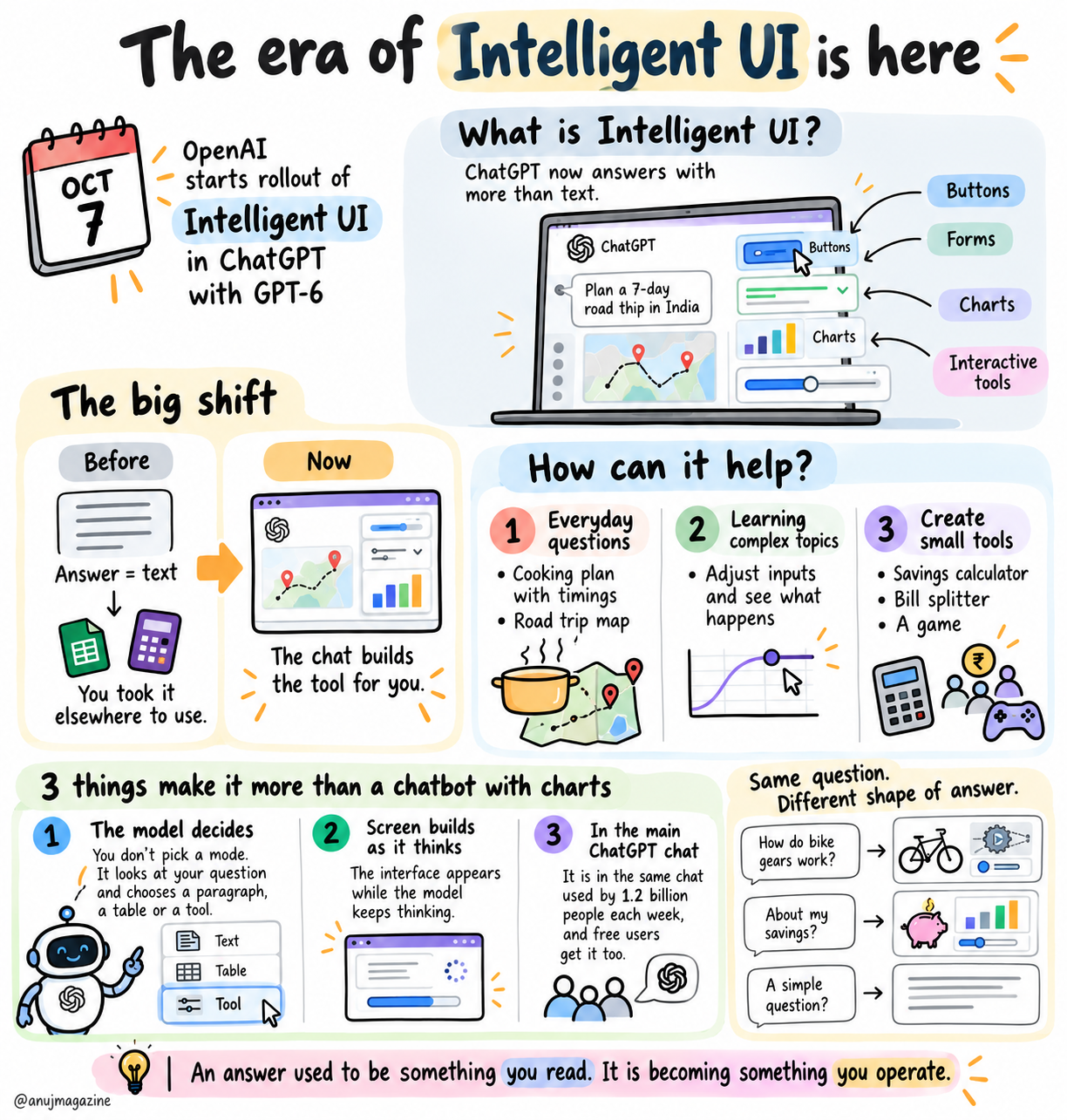
Instead of only writing text, ChatGPT can now answer with buttons, forms, charts and small interactive tools, and it decides which fits the question. It is easy to dismiss this update as a chatbot that looks nicer. The bigger change is that the shape of an AI answer is changing.
Until now, an answer was text, and you took it somewhere else to use it: a spreadsheet, a calculator website. Now the chat can build the tool for you. OpenAI shows examples in its announcement.
How can it help?
- Everyday questions with more visual answers, such as a cooking plan with timings or a road trip map
- Learning complex topics, such as changing the inputs of a maths puzzle to see what happens
- Creating small tools just by asking, such as a savings calculator, a bill splitter or a game
The model chooses what to show. For simple questions it still answers in plain text.
Three things make this more than a chatbot with charts
- First, the model decides. You do not pick a mode. It looks at your question and chooses a paragraph, a table or a tool, and OpenAI says it trained GPT-6 on those choices, including when plain text is the better answer.
- Second, the screen builds as the answer is written, while the model keeps thinking.
- Third, it sits in the main ChatGPT chat, which OpenAI says 1.2 billion people use each week, and free users get it too.
So one question no longer has one shape of answer. Ask how a bike’s gears work and you might get a diagram you can tap through. Ask about your savings and you might get a calculator. Ask something simple and you get a sentence.
References